
Travel
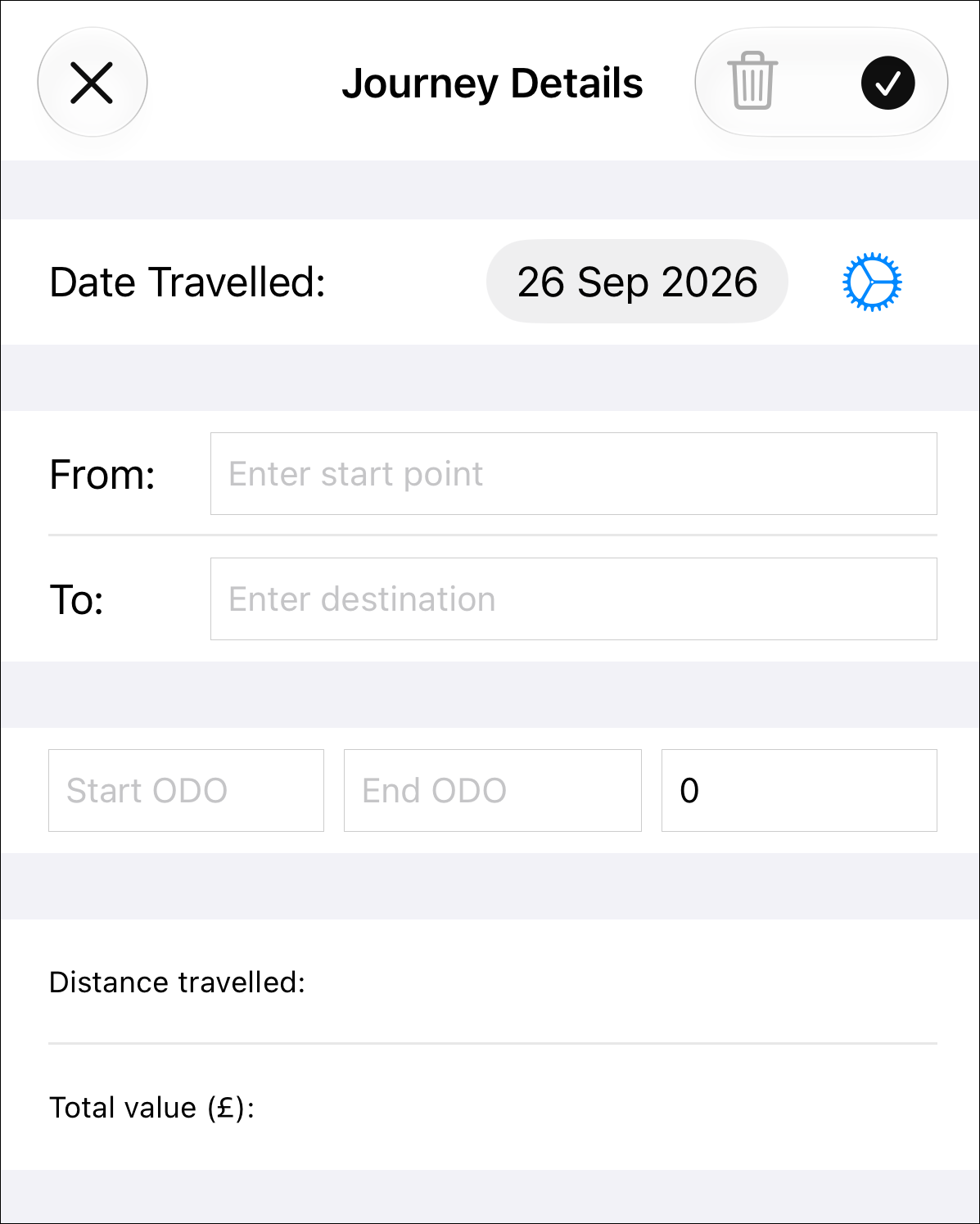
Use this screen if you account for travelling expenses by claiming a mileage rate for each journey. If you claim capital and running costs for a car or van, etc. then use the Capital and Expense screens to record these outgoings.
The Settings button adds
a row above the button where you can set and maintain a default (standard) mileage rate.
Setting this saves you having to enter a mileage rate for every journey.
adds
a row above the button where you can set and maintain a default (standard) mileage rate.
Setting this saves you having to enter a mileage rate for every journey.
The journey's date defaults to the current date and can be changed by tapping on the value and selecting a new date.
Start Point and Destination are optional, enter them if you want to keep track of the places you have visited for journeys made.
You must enter start and end Odometer (mileage) readings, Simple BK will then calculate the distance travelled and the expenses value of the journey. If you just enter a start ODO reading and save, Simple BK will remember that value when you return to the screen after completing your journey.
Tap Save when
you have completed all the details you wish to record. You will not be able to
save a record if any mandatory fields are missing. When all is well a 'Record Saved' message will
appear and the phone will vibrate briefly to indicate that the record has been saved.
Tapping on the Cancel
when
you have completed all the details you wish to record. You will not be able to
save a record if any mandatory fields are missing. When all is well a 'Record Saved' message will
appear and the phone will vibrate briefly to indicate that the record has been saved.
Tapping on the Cancel button will clear the fields
on the form when adding a new journey record, or return you to the journey list if you are editing an existing record.
button will clear the fields
on the form when adding a new journey record, or return you to the journey list if you are editing an existing record.