
Stock Report
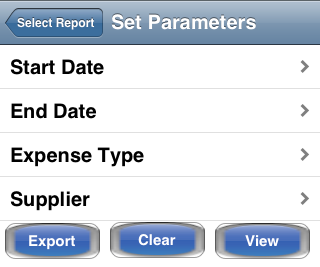
The stock report provides a summary list of the stock purchases you have added to Simple BK. The report can be filtered by date range, type of purchase or supplier. The filters can be applied singularly or together, with each additional filter further reducing the number of items displayed.
Once you have set your filters, tap on Done to display the report on your device. You can then tap on individual stock purchase records to see the
full details and to edit the record if required. The report can also be used to delete single items by swiping left.
to display the report on your device. You can then tap on individual stock purchase records to see the
full details and to edit the record if required. The report can also be used to delete single items by swiping left.
Tap the Select button to select and delete multiple records.
The Export button allows you to export the displayed records to file.